
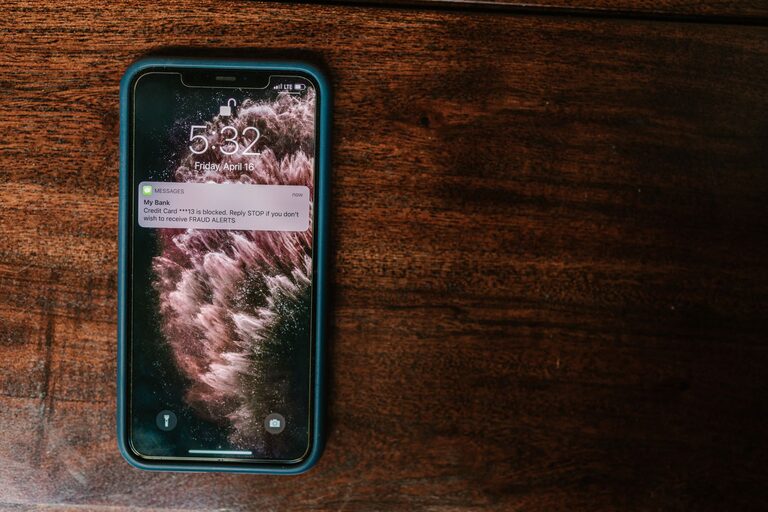
Effective Tips for Setting Boundaries with Notifications
In today’s digital world, notifications are everywhere—popping up on our phones, computers, and even smartwatches. While they help us stay informed and connected, too many notifications can become overwhelming and distracting. Setting clear boundaries with notifications is essential for maintaining focus, reducing stress, and improving your overall well-being. This guide offers friendly, practical tips to help you manage notifications effectively.
Why Setting Boundaries with Notifications Matters
Notifications are designed to grab your attention. Whether it’s a message alert, social media update, or work email, constant interruptions can break your concentration and increase feelings of anxiety. Over time, this can lead to digital burnout and decreased productivity. By setting boundaries, you regain control over your digital environment and create space for focused work, relaxation, and meaningful interactions.
Assess Your Current Notification Settings
Before making changes, take a moment to evaluate how many notifications you receive daily and from which apps or services. Ask yourself:
– Which notifications are truly important?
– Are any notifications unnecessary or redundant?
– How often do you check your device because of alerts?
Understanding your current situation helps you make informed choices about what to keep and what to silence.
Tips for Managing Notifications Effectively
1. Prioritize Important Notifications
Most devices allow you to customize notification settings for individual apps. Identify which notifications are essential—such as work emails, calendar reminders, or messages from close family and friends—and prioritize those.
– On smartphones, use “Do Not Disturb” or “Focus” modes to allow only priority notifications during certain times.
– Use app-specific settings to turn off nonessential alerts like games or promotional messages.
2. Set Specific Times to Check Notifications
Instead of reacting immediately to every alert, designate certain times during the day to review notifications. This habit reduces constant interruptions and helps maintain focus.
– For example, check messages every two hours or during scheduled breaks.
– Inform colleagues or contacts about your availability to manage expectations.
3. Use Notification Summaries or Batching Features
Some devices offer notification summary tools that compile notifications and deliver them at set times. This batching approach minimizes frequent disruptions.
– Enable summary features on your phone to receive updates a few times a day rather than instantly.
– Customize the summary to include only important apps.
4. Turn Off Notifications for Less Critical Apps
Social media, game apps, and promotional notifications often contribute to alert overload. Consider turning these off altogether or only allowing notifications during specific hours.
– Evaluate which apps deliver value through notifications and which don’t.
– Use “silent” notifications for apps you want to stay connected to but without sound or banners.
5. Leverage Do Not Disturb and Focus Modes
Both iOS and Android devices feature modes designed to help you focus by limiting interruptions.
– Schedule Do Not Disturb during work hours, meetings, or before bedtime.
– Customize exceptions to allow calls or messages from certain contacts.
6. Customize Notification Sounds and Vibrations
Distinct sounds or vibrations can help you quickly identify the type of notification you receive, making it easier to decide whether to check it immediately.
– Assign unique tones to important contacts.
– Consider silent or vibrate-only alerts for less urgent notifications.
7. Use Email Filters and Rules
If email notifications are overwhelming, set up filters that automatically organize incoming messages.
– Prioritize emails from key contacts or work-related subjects.
– Move newsletters or promotional emails to a separate folder to review later.
8. Unsubscribe from Unnecessary Email Lists
Reducing the volume of emails by unsubscribing from unwanted newsletters or marketing lists decreases notification clutter.
– Regularly review your inbox for emails you no longer find useful.
– Use tools or services that help manage subscriptions.
Creating Healthy Notification Habits
Be Mindful of Your Digital Consumption
Awareness is key. Notice how notifications affect your mood and productivity. If you find yourself feeling anxious or distracted, it may be time to adjust your settings.
Communicate Boundaries with Others
Let your friends, family, and coworkers know your preferred communication times and notification policies. This helps set expectations and reduces pressure to respond immediately.
Review and Adjust Regularly
Technology and personal needs change. Periodically review your notification settings to ensure they still align with your goals and lifestyle.
Conclusion
Setting boundaries with notifications is a simple but powerful way to bring more calm and focus into your life. By prioritizing alerts, scheduling check-ins, and using device features wisely, you can reduce distractions and improve your well-being. Start with small changes today and enjoy the benefits of a more intentional digital experience.
